Fast & Clean•Windows, macOS & Linux

The Ultimate Free & Ad-Free Video Downloader

Modern, cross-platform and completely free. Download up to 4K 60FPS video, pristine audio, subtitles and thumbnails without re-encoding. Zero ads, zero tracking, no account.

  • No Ads. No Tracking
  • No Bloatware
  • No Account Required
  • Windows, macOS & Linux
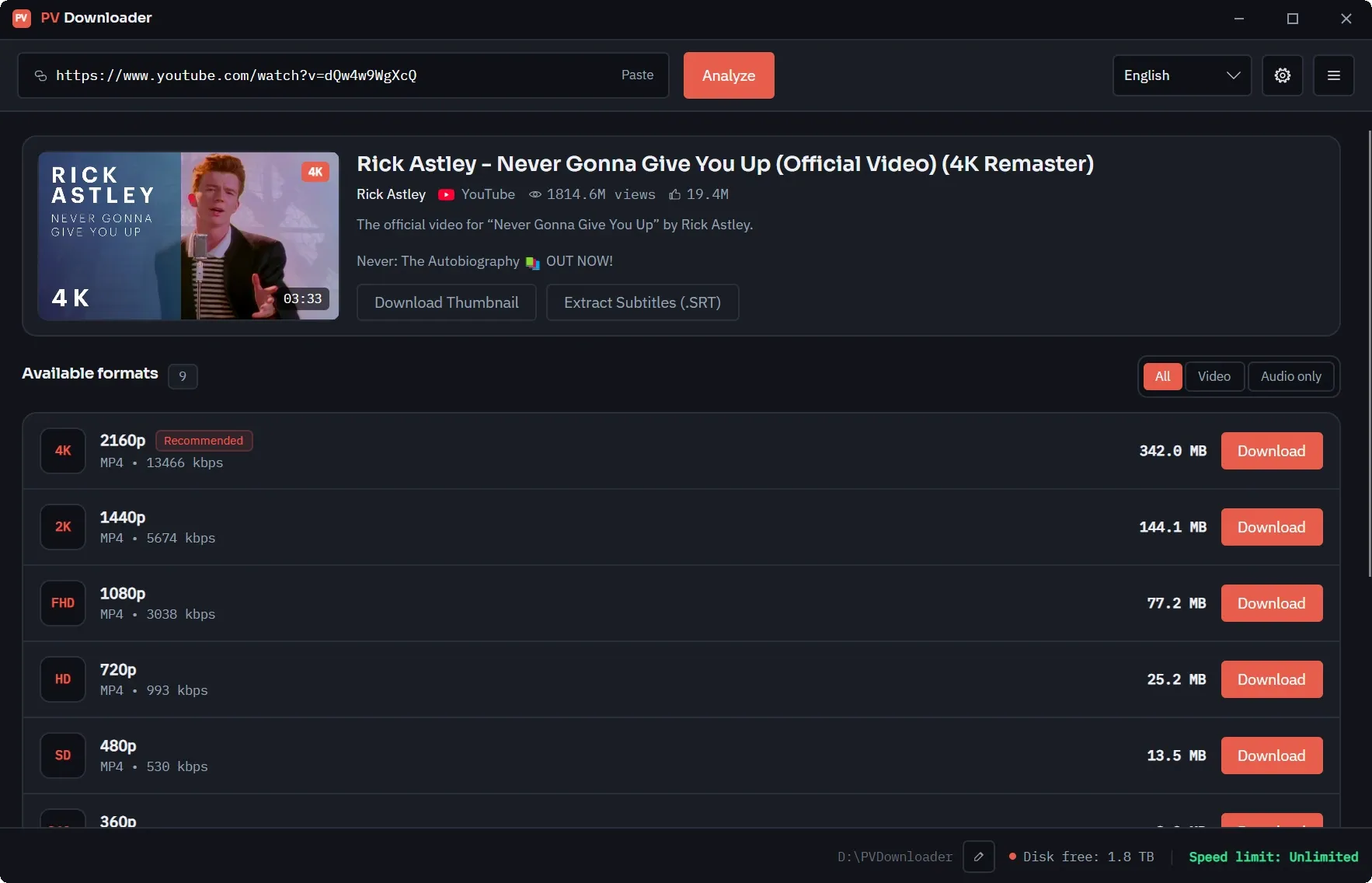
The pvdownloader main window: a pasted YouTube URL, a preview card with the video title, channel and view count, and the list of available formats from 4K down to 480p.
Native platform integrations
12Native platform integrations
Sites added by yt-dlp
1,379Sites added by yt-dlp
Ads, cookies and trackers
0Ads, cookies and trackers
Client-side, no backend
100%Client-side, no backend
  • 100% Free & Ad-Free
  • Ad-Sponsored & Trackers
  • Watermarks & Limits
  • Bundled Installers
Engineered Specifications

Engineered for Media Precision

8 features · 3 platforms

Multi-Platform & 4K 60FPS Streams

Works out of the box on 12 platforms, and a one-click yt-dlp integration extends that to 1,379 more sites. Handles high-resolution video (up to 8K), high-fidelity audio and HDR content.

Resolution Profiles3840×2160 native
AV1VP9 HDRH.265H.264 High@5.2

Any Direct Media URL

Paste a direct link to an .mp4, .webm, .mov or .m3u8 file and pvdownloader treats it like any other source — no site integration required.

MP4WebMMOVHLS

Dedicated Audio & Subtitle Extraction

Isolate audio tracks directly to pristine 320kbps MP3, Opus, or lossless FLAC files. Auto-generate subtitles or download closed captions and metadata in clean .SRT or .VTT format.

MP3 320kOpusFLACSRT / VTT

High-Res Thumbnail Grabber

Extract high-resolution thumbnails, posters, fan art, and channel banners. Perfect for archiving missing artwork or creating offline media library covers and metadata.

4K UHDWebPPNGMetadata

Zero-Friction Updates

Streamlined portable ZIP archive packs. One-click updates, no clutter, no background service. Keep your archive tool current with a single click.

Auto-sync EnabledPortable ZIP
No Install RequiredBackground Updates

Download Queue & Notifications

Queue up as many links as you like and let them run. You decide how many download at once, and the app tells you when one finishes, fails, or when an update is waiting.

NotificationsOn by default
QueueConcurrencyPer-job Progress

HTTP, HTTPS, SOCKS4 and SOCKS5 Proxies

Send every request through a proxy you control, with an optional automatic retry without it if the proxy refuses to answer.

Applies ToScan + transfer
HTTPHTTPSSOCKS4SOCKS5

Seven Languages, Light or Dark

The interface ships in English, Spanish, French, Brazilian Portuguese, Russian, German and Turkish, in a light theme and a dark one.

Languages7
System-syncedLight & Dark
How It Compares

Why Modern Archivists Prefer pvdownloader

The objective breakdown of what truly matters when archiving.

Evaluation CriteriapvdownloaderTypical Free DownloadersCommercial / Paid Tools
Price & LicensingFree, Ad-Free, No AccountAd-Supported ("Freeware")$29.99 / year (Subscription)
Ad & Malware PolicyZero Ads, Zero Bundled SoftwarePop-ups and/or Browser ExtensionsClean, Professional, Paid Software
Download Speed CapsNo Artificial CapsArtificial Speed CapsVaries (Dependent on Server)
Core / CLI UpdatesFrequent Core UpdatesManual download requiredRegular Client Updates
Accuracy & ReliabilityNo Telemetry, No AdwareWith Adware / OpenCandyBetter Telemetry Data
macOS / Linux SupportYes, All Three (x64 & ARM64)Usually Windows OnlySubscriptions required
Portable VersionYes, Portable ZIP / AppImageRarely AvailableSometimes Paid Tier Only

The "free, ad-free" claim is not marketing — it is written into the license, and the feature breakdown explains where each capability actually comes from.

Interface

Take a look around

Every screen is designed to stay out of the way: read what the platform offers, pick a format, done.

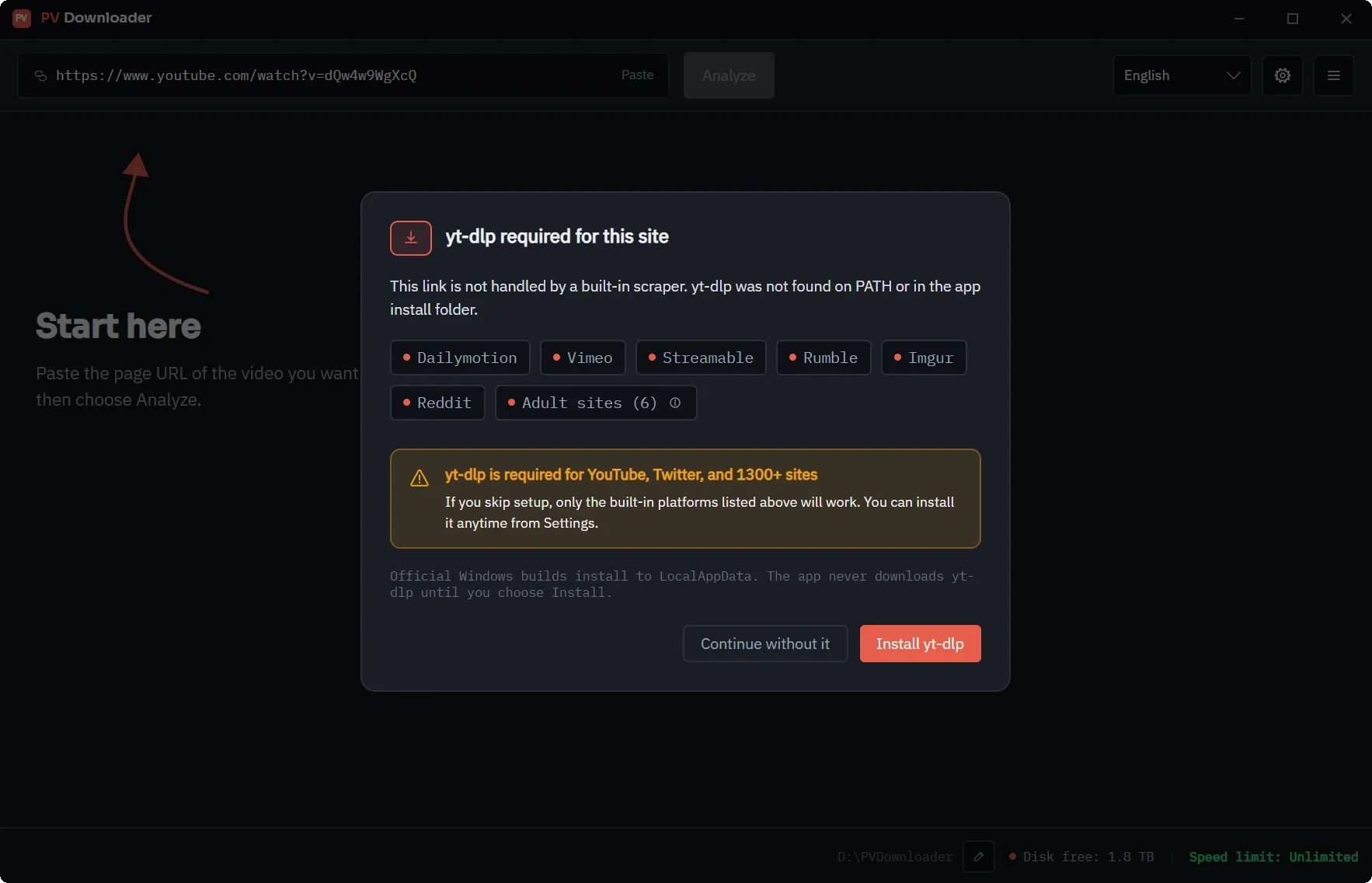
The first-run yt-dlp setup dialog in pvdownloader. It lists the platforms that work without it, explains that YouTube and 1,300+ other sites need yt-dlp, and offers "Install yt-dlp" or "Continue without it".
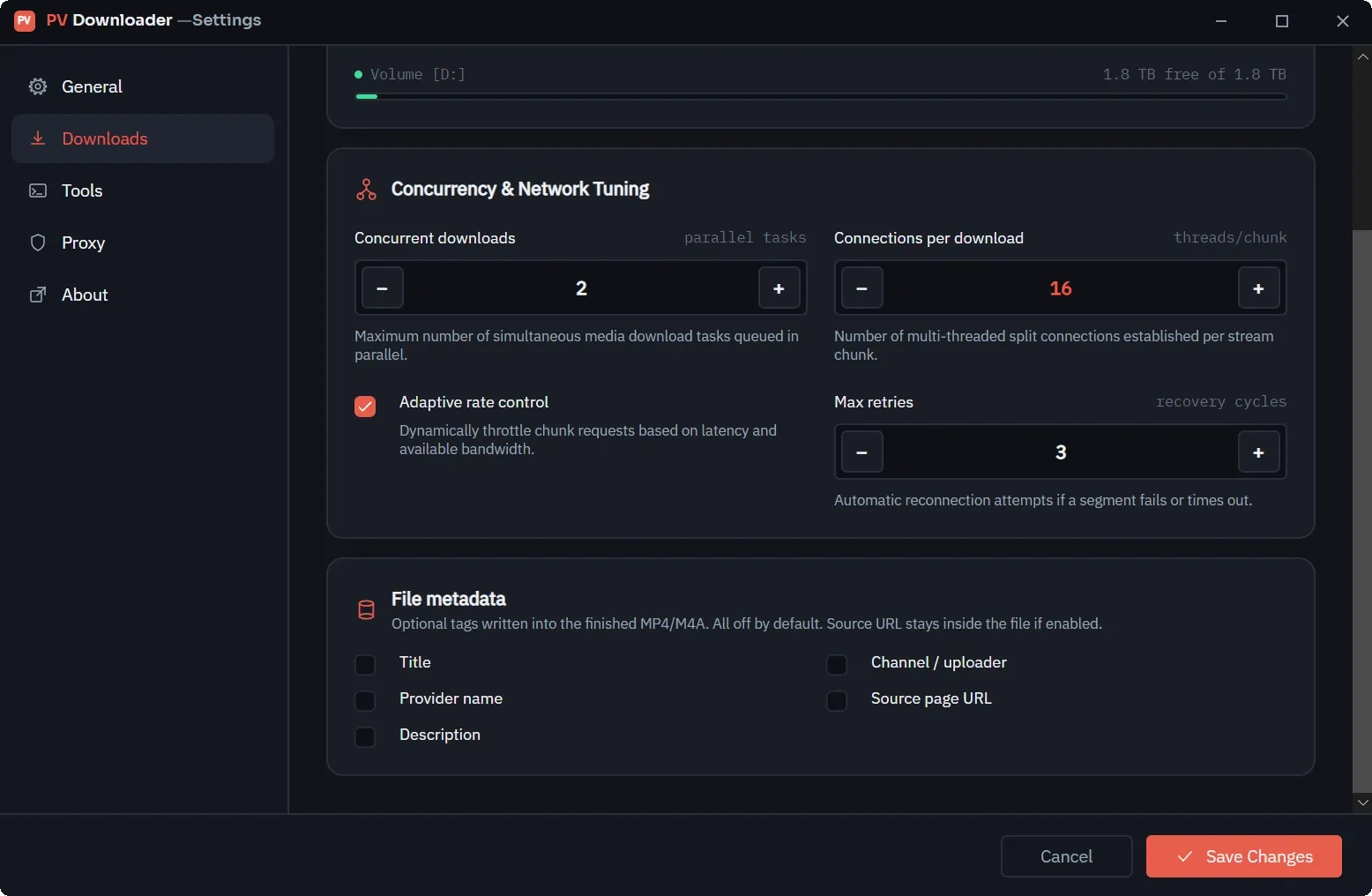
The Downloads tab of the pvdownloader settings window: concurrent downloads, connections per download, adaptive rate control and retry limits, above the optional file metadata tags.
Appearance

Light, dark, or whatever your system says

The interface follows your system theme by default, and you can pin either one. Both are designed, not one recoloured from the other.

Dark
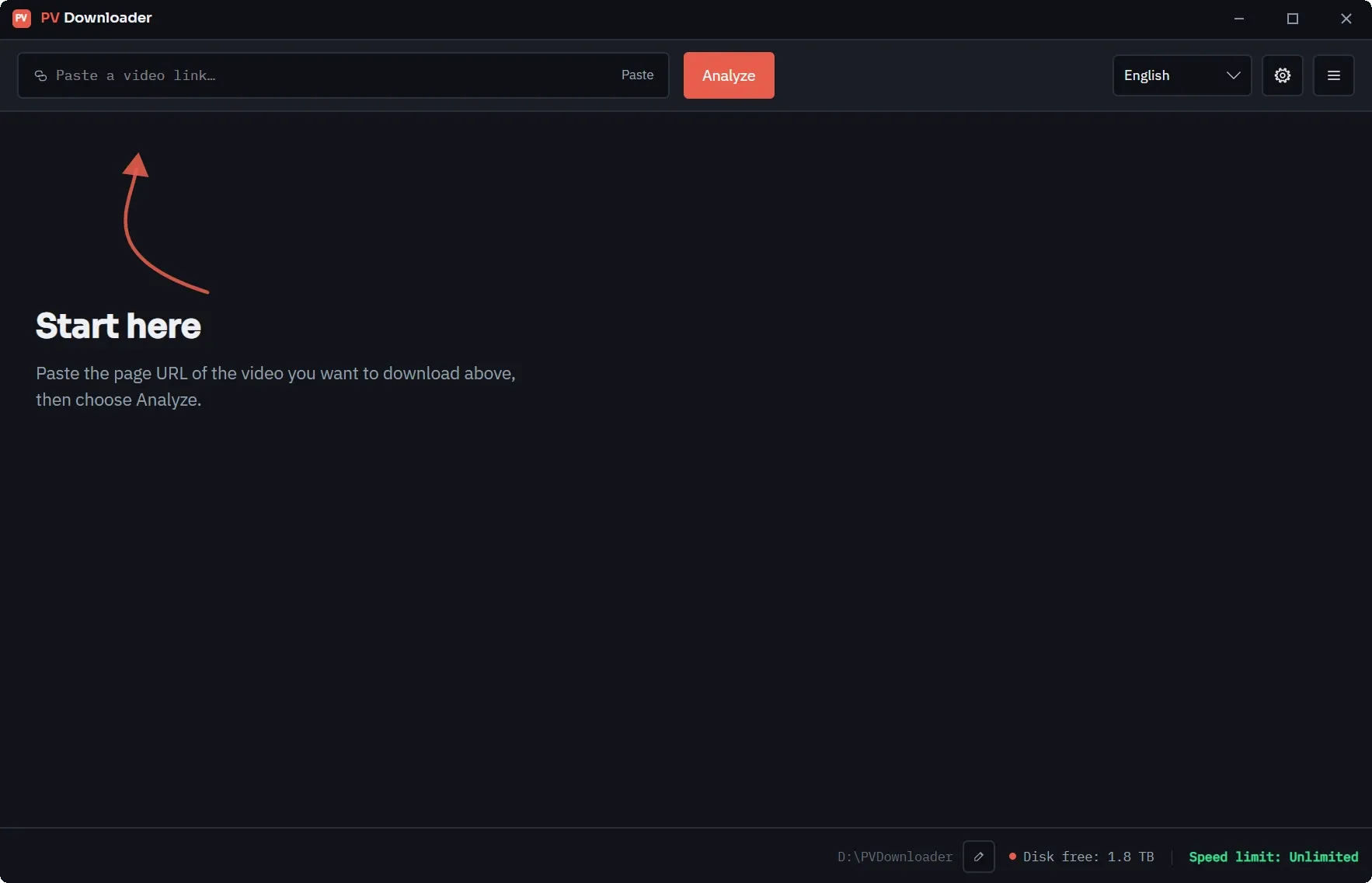
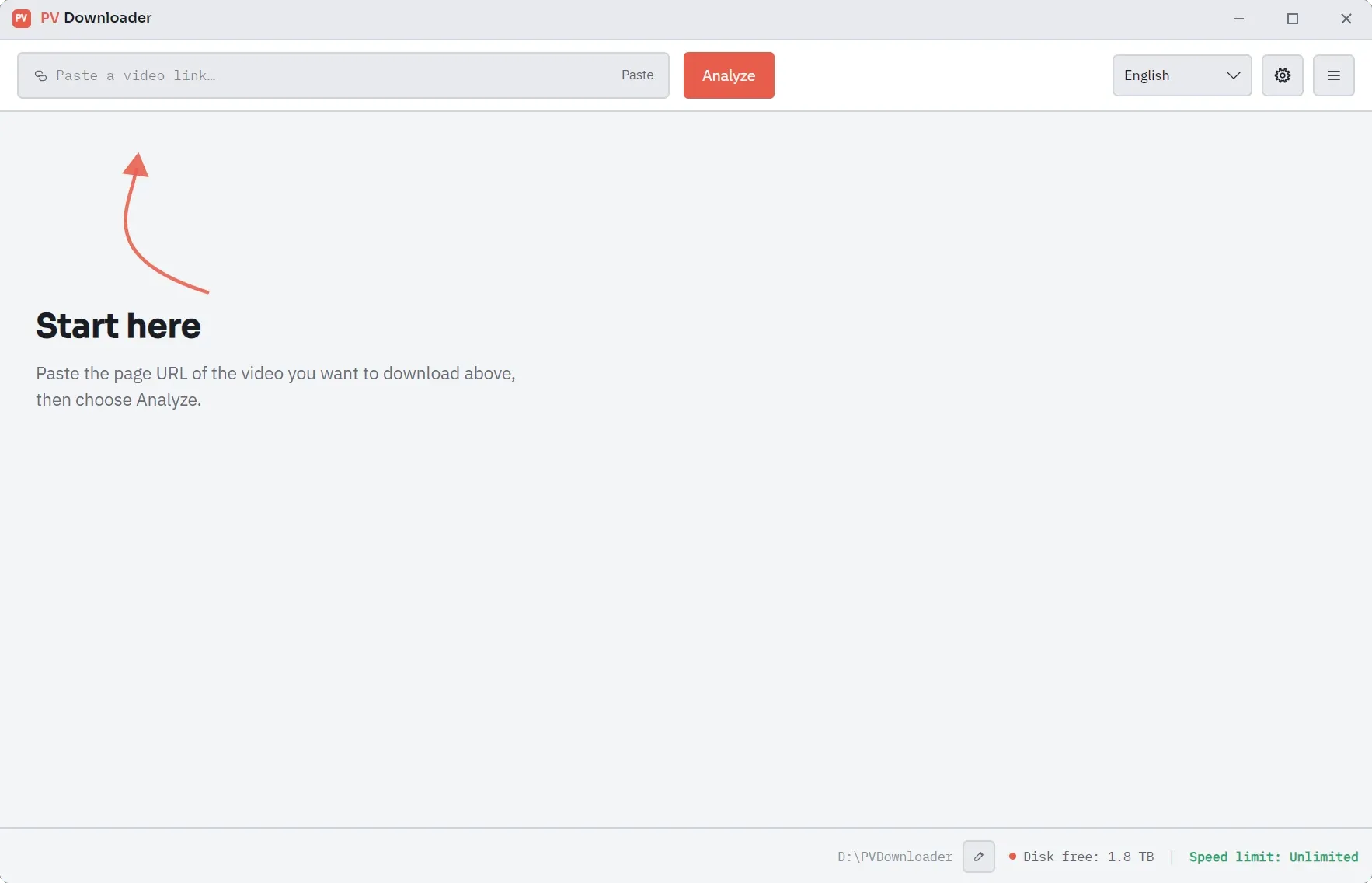
The pvdownloader main window in dark mode: an empty URL field, with the "Start here" hint pointing at it and the download folder shown in the status bar.
Light
The same pvdownloader window in light mode, showing an identical layout on a light background.
Frequently Asked Questions

Clear Answers for Archival Engineers

Zero Configuration Setup

Ready for Clean, High-Speed Media Archiving?

Download pvdownloader today. No sign-ups, no ads, no limits. Built for creators and archivists who value speed, quality, and privacy.

28.0 MBFree, No Account NeededZero Telemetry Trail