Streamable Video Downloader
Streamable is built into pvdownloader, so there is nothing to install before you save a clip. Paste a link, and the file lands on your disk.
The part that makes native support worth having is collection links. A Streamable /c/ URL wraps a clip rather than pointing at it, so the id in the address bar identifies the collection, not the video. pvdownloader reads that page and resolves the clip inside it rather than treating the collection id as a video id and failing.
What you can download from Streamable
Video and embed links
streamable.com/{id} and streamable.com/e/{id} both resolve to the same clip, so either the page URL or the embed URL will do.
Collection links (/c/)
A collection URL is read and the video inside it is resolved. A collection holding a single clip works; one holding several is reported as unsupported rather than quietly picking the first.
MP4 and WebM
Whatever file variants Streamable exposes for the clip are listed directly — no segment reassembly, and no re-encoding.
No watermark added
Nothing is stamped onto the video. The file you get is the file Streamable served.
How to download from Streamable
- 1
Copy the clip link
Copy the URL from the clip's page. Streamable uses short, opaque identifiers, so the link you want is the one the page itself loads at. Share links shaped /s/{a}/{b} work too — the first shortcode is the video.
- 2
Paste it into pvdownloader
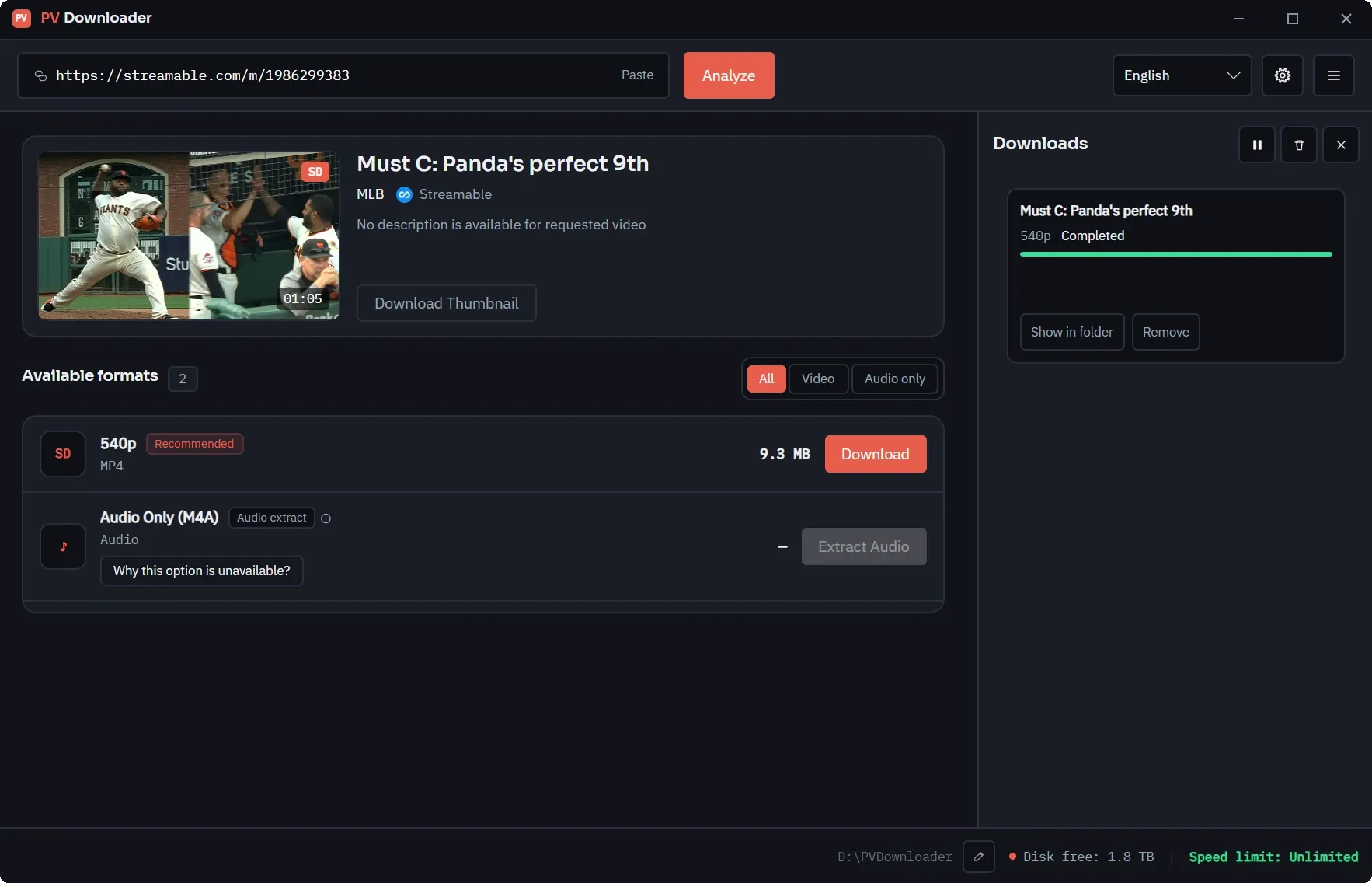
The app resolves the clip and shows you its title, duration and the file variants Streamable is serving. If you pasted a collection link, the contained video is resolved first.
- 3
Download
Streamable clips are short, so there is rarely a quality decision to make. Pick a variant and the file is saved as served, with no extra pass over it.
The four URL shapes, and where they stop
Streamable has four shapes of URL that can lead to the same clip: /{id}, /e/{id} for embeds, /s/{a}/{b} for shares, and /c/{id} for collections. The first three carry the video identifier directly. A collection link does not — it points at a page that wraps the video, so the id in the address bar belongs to the collection. pvdownloader reads that page and pulls the real identifier out of it, which is why a /c/ link that would fail elsewhere resolves here.
That only works when the collection holds one clip. Collections with several videos are reported as unsupported rather than half-downloading or quietly grabbing the first one. There is no batch UI yet, and pretending otherwise would just produce a surprising result — open the clip you want and paste its own link instead.
Streamable's clip payload does not carry an HLS manifest either, so there is no quality ladder to expand and nothing to reassemble. Every clip resolves to a plain progressive file, which is the easy case: no segment joining, and no step that can fail halfway through.
As with every platform pvdownloader supports, this is a straight copy. No watermark is added, the video is not re-encoded, and nothing about the download is reported anywhere.
Streamable downloader FAQ
Other platforms with native support
Looking for something else? The full list of supported platforms covers both the built-in providers and everything reachable through yt-dlp.
Ready for Clean, High-Speed Media Archiving?
Download pvdownloader today. No sign-ups, no ads, no limits. Built for creators and archivists who value speed, quality, and privacy.