
Vimeo Video Downloader
Vimeo is one of the platforms pvdownloader talks to directly, so there is nothing to install before you start. Paste a video link, pick a format, and the file is written straight to your disk.
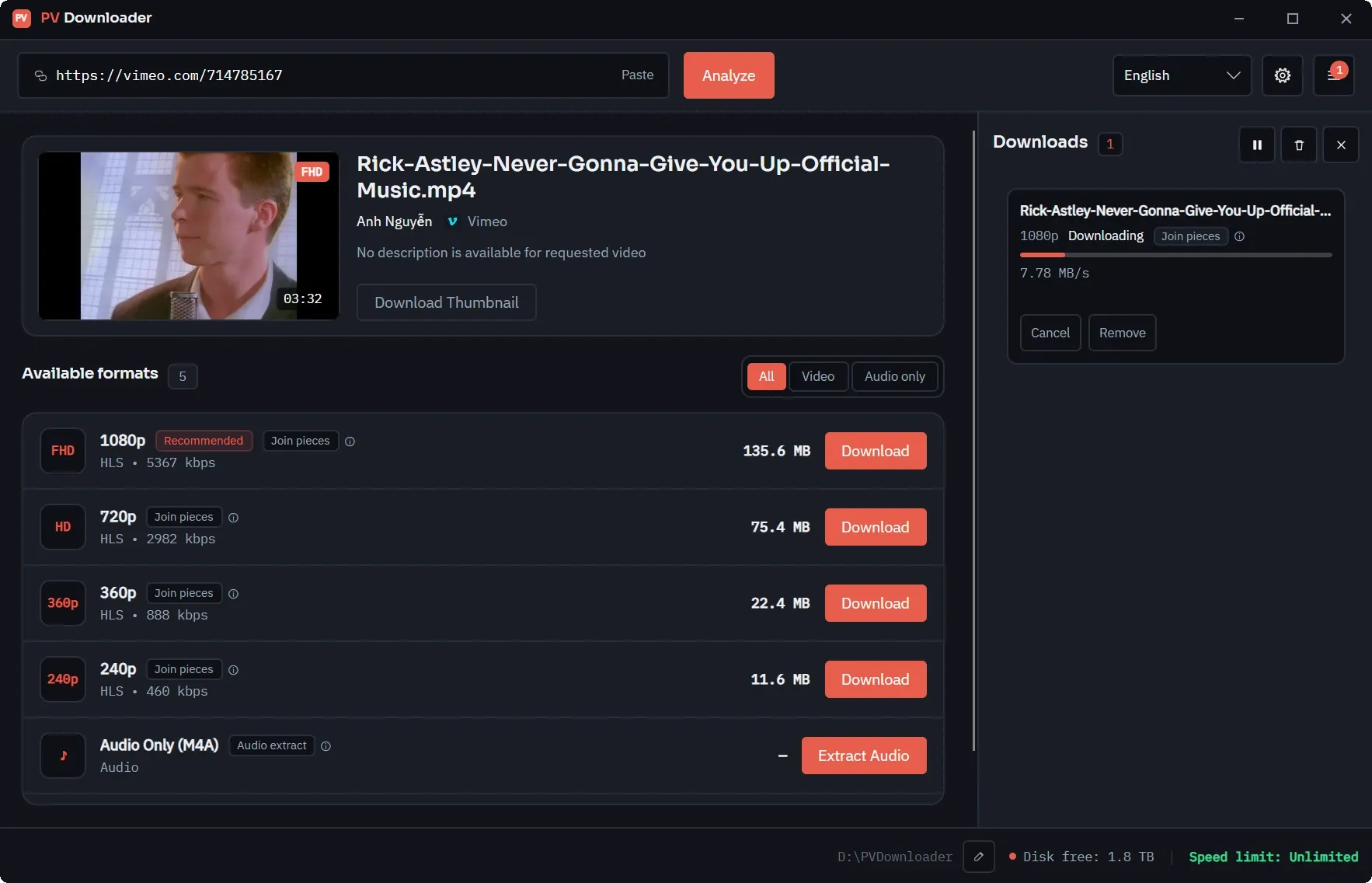
Vimeo serves modern clips over HLS rather than as a single file, so pvdownloader expands the quality ladder the player itself would use and lists the individual variants for you. Where a clip still has a progressive MP4 file, that is offered as well.
What you can download from Vimeo
Video, at the best available quality
Progressive MP4 where Vimeo still exposes one, otherwise the HLS quality ladder expanded into individual variants.
Password-protected videos
Paste the link and pvdownloader asks for the password. Clips that are also domain-locked need the URL of a page allowed to embed them — there is a field for that in the same dialog.
Subtitles as .SRT
When the clip carries text tracks, the caption file is downloaded on its own. Vimeo's English or default track is preferred when several are available.
Audio only (M4A)
The audio track can be extracted on its own. Converting it to MP3 or FLAC needs FFmpeg, which the app offers to fetch; the plain M4A extraction does not.
How to download from Vimeo
- 1
Copy the video link
Copy the URL from the address bar on Vimeo's watch page. Unlisted clips work too — the share hash that makes them accessible is read from the page, so paste the full link you were given.
- 2
Paste it into pvdownloader
The app analyses the clip and shows you its title, duration, uploader and the list of available formats before anything is written to disk. If the clip is locked, this is where the password dialog appears.
- 3
Pick a format and download
Choose a video variant, or audio only, and start the job. The stream is saved as Vimeo serves it, with no re-encoding pass over it.
Password locks, domain locks, and what does not work
A password is not always the whole story. Some protected clips are also domain-locked, meaning Vimeo will only play them on a page the uploader approved. For those the dialog has a second field: paste the URL of a page that is allowed to embed the clip. pvdownloader sends it as the referrer, exactly as a browser sitting on that page would.
Two kinds of Vimeo URL are not supported, and it is worth knowing which before you paste one. Album, showcase, channel and On Demand links are collections rather than single videos, so there is nothing for the app to resolve — those need a link to an individual clip. And clips that Vimeo serves only over DASH, the MPEG-DASH format, cannot be processed either, because pvdownloader handles HLS and progressive MP4. It reports that it cannot analyse such a clip instead of quietly showing you an empty format list.
Referrer-locked and genuinely private videos still fail. The password dialog exists for protected videos you already have legitimate access to; it is not a way around the protection. pvdownloader does not strip DRM either, so if a clip will not play for you in a browser, it will not download here.
Vimeo downloader FAQ
Other platforms with native support
Looking for something else? The full list of supported platforms covers both the built-in providers and everything reachable through yt-dlp.
Ready for Clean, High-Speed Media Archiving?
Download pvdownloader today. No sign-ups, no ads, no limits. Built for creators and archivists who value speed, quality, and privacy.